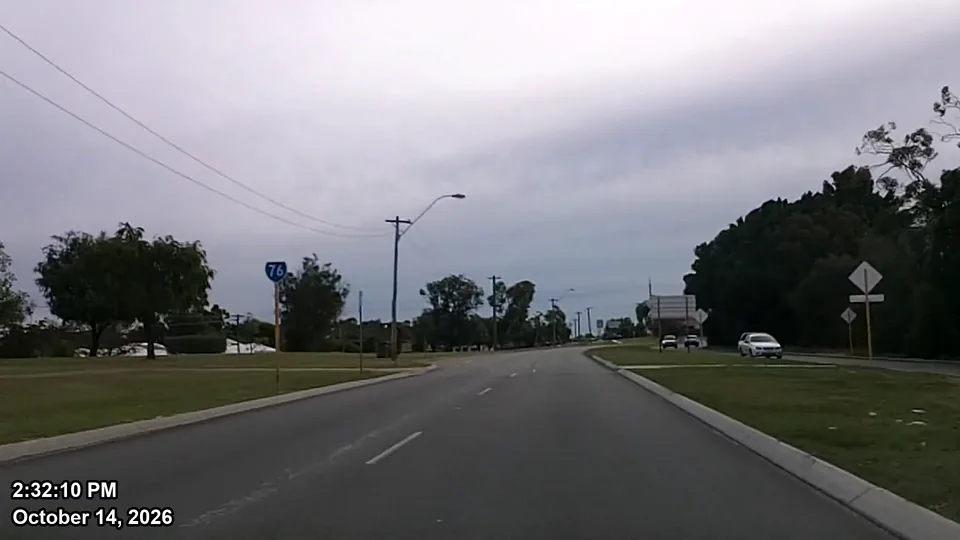
A running date & time stamp, in the format you choose.
Any date style; 12-hour, 24-hour or elapsed time; your font, color and position. Burned into a copy. The original is never modified, nothing is uploaded, and an optional report records SHA-256 fingerprints of both files.
- Stamps virtually any video format — one app, not a separate program for each format
- One-time price per PC, 1 year of updates included
- Works fully offline on Windows 10 and 11 (64-bit)
- Free trial with no time limit (output is watermarked)
- Built on 30 years working with the private investigation industry
Every option in Video Stamp
The time goes on the top line and the date below it. Set it once; your choices are remembered for the next video.
Date format
October 16, 2026Oct 16, 202610/16/202616/10/20262026/10/1610-16-202616-10-20262026-10-16- No date
Time format
2:32:10 PM2:32 PM14:32:1014:3203:41elapsed from 00:0000:03:41elapsed from 00:00:00- No time
Start time
- From the video's metadata
- From a drone or dashcam log
- From the file name
- Any date and time you enter
Time zone: this PC's, with daylight-saving changes applied.
Font
- Arial
- Segoe UI
- Calibri
- Verdana
- Tahoma
- Consolas
- Courier New
- Times New Roman
- Georgia
Style
- Normal
- Bold
- Italic
- Bold Italic
Size
- Auto (fits the video)
- Any size in pixels
Text color
- White
- Black
- Yellow
- Red
- Lime
- Aqua
- Blue
- Fuchsia
- Silver
- Gray
- Maroon
- Olive
- Green
- Teal
- Navy
- Purple
- Any other color
Readability
- Outline: any color
- Drop shadow
Keeps the text clear over light footage — no background box.
Position
9 positions, with margins you set in pixels.
Movement
- Fixed
- Random (jumps around)
- Moving horizontally
- Moving vertically
- Moving diagonally
Jump or crossing time: 0.5 to 600 seconds.
Output
- Quality: High, Standard or Small file
- Encoder: GPU automatically, or CPU only
- Deinterlace: Automatic, Always or Never
- Save next to the original or in a folder you pick
- SHA-256 report: on or off
Everything the job needs, nothing it doesn't
A clock that actually runs
The stamp is calculated from each frame's own timestamp, so it stays in step for the whole video, even long ones.
Daylight saving handled
If a recording crosses a daylight-saving change, the clock jumps exactly as a real clock would. Midnight and New Year are handled too.
Reads the start time for you
Uses the recording metadata from phones, action cams, drones, camcorders and many DVRs. You always see the source, and you can override it.
Clock or elapsed time
Show the real time of day, or a counter that starts at 00:00 with the video.
Batch processing
Queue a whole folder of clips and stamp them in one run, each with its own start time.
GPU-accelerated
Uses NVIDIA, Intel Quick Sync or AMD hardware encoding when your PC has it, and falls back to the CPU automatically.
Keeps your footage intact
Keeps the resolution, frame rate and audio. iPhone HDR video is converted so it looks right on any player.
Live preview
Scrub to any moment and see the exact frame the output will contain before you commit to a long encode.
Your original stays exactly as it was
When footage may be scrutinized later, you need to show what you did to it. Video Stamp is designed for that.
- The original is never modified. It is opened read-only, and Video Stamp never writes to it, renames it or overwrites it.
- The output is always a new file. An existing file is never overwritten; a new name is chosen instead.
- SHA-256 report (optional). It records the original's fingerprint before and after processing, the stamped copy's fingerprint, the start-time source, the time zone rules and the encoder used.
- No upload, no account, no internet needed. Video Stamp works on air-gapped and offline evidence PCs.
SHA-256 is a standard way to fingerprint a file: if even one byte changes, the fingerprint changes. You can check it yourself in Windows PowerShell with Get-FileHash <file>.
Video Stamp - processing report
Created:            2026-10-17 09:58:13 -0400

ORIGINAL (opened read-only; verified unchanged)
  File:             D:\Video\dashcam_front.mp4
  SHA-256:          d7238f702ea0792821f51ea5960553e92e00abac121430d47f658adb808a3867
  SHA-256 after:    d7238f702ea0792821f51ea5960553e92e00abac121430d47f658adb808a3867
  Unchanged:        YES - identical before and after
  Video:            1920x1080 h264 yuv420p 8-bit, 29.970 fps, 10.010 s

STAMPED COPY
  File:             D:\Video\stamped\dashcam_front_stamped.mp4
  SHA-256:          71ae9bb7eafc2bf1a83edff16a53352692e77b67257901ddde67b79812a73919
  Video frames:     300  (10.010 s), every frame's time within 0.0 ms of the original

STAMP
  Clock start:      2026-10-14 14:32:05.000 EDT (UTC-0400)
  Start source:     Video metadata creation time (UTC, converted to local)
  Time zone rules:  America/New_York

Processing was done entirely on this computer. Nothing was uploaded.
Works with the footage you actually get
Unlike stamping tools that handle only one or two formats — leaving you to buy a separate program for each kind of footage — Video Stamp opens MP4, MOV, AVI, MKV, WMV, MTS and many CCTV/DVR formats in one app, with no file-size limit. It finds the recording start time in the places each device keeps it.
Some DVR and NVR systems export in proprietary formats. If a file won't open, contact us. Please don't send evidence; we will tell you what we need.
Sources it reads
- iPhone
- Android phones
- GoPro
- DJI drones
- Dashcams
- CCTV / DVR exports
- Camcorders (AVCHD)
Where the start time can come from
- Recording metadata in the video file
- Drone and dashcam log files (.SRT) saved next to the video
- Date and time in the file name, when the camera uses one
- A date and time you enter, for example from a DVR's on-screen clock
A single window with no learning curve
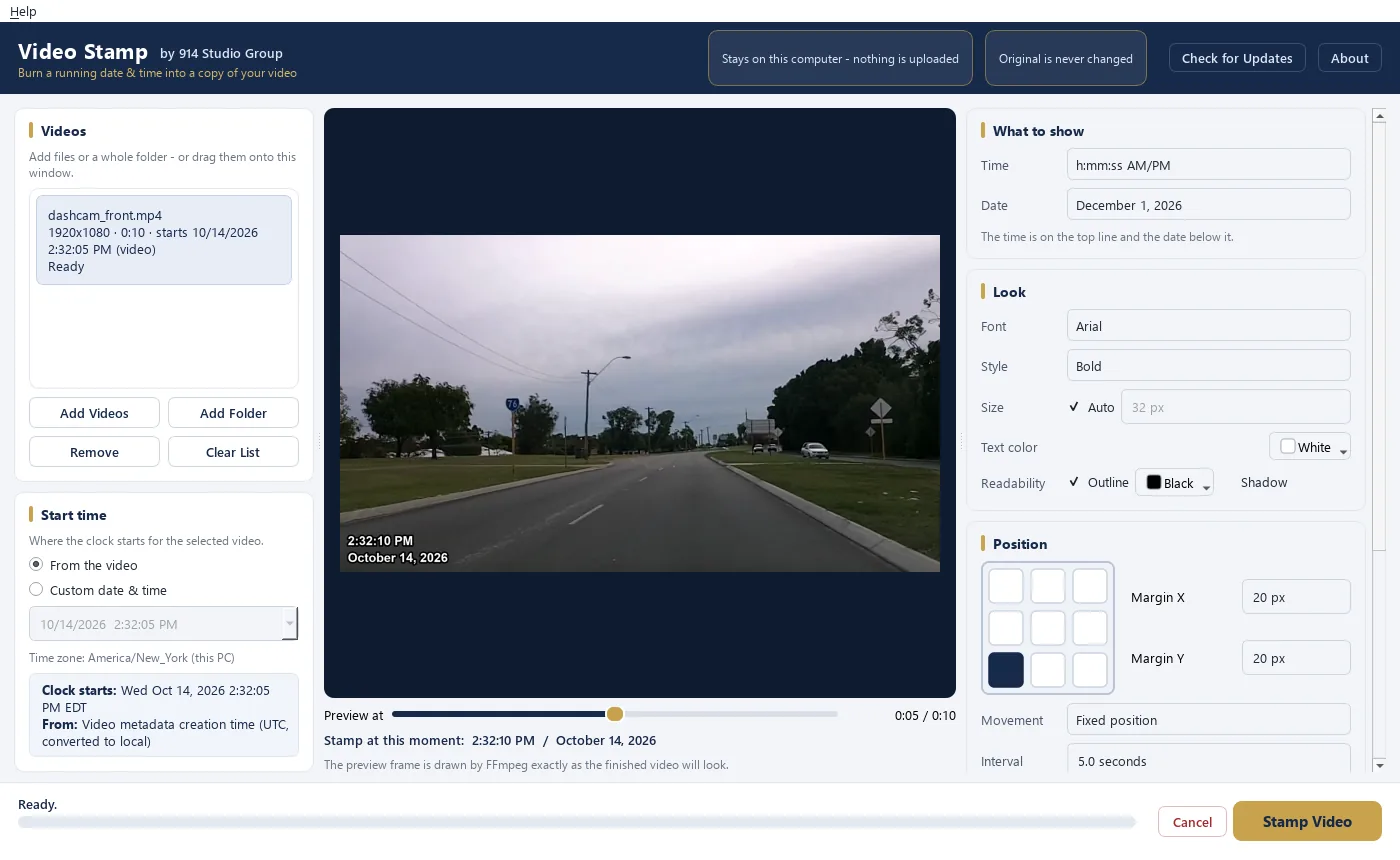
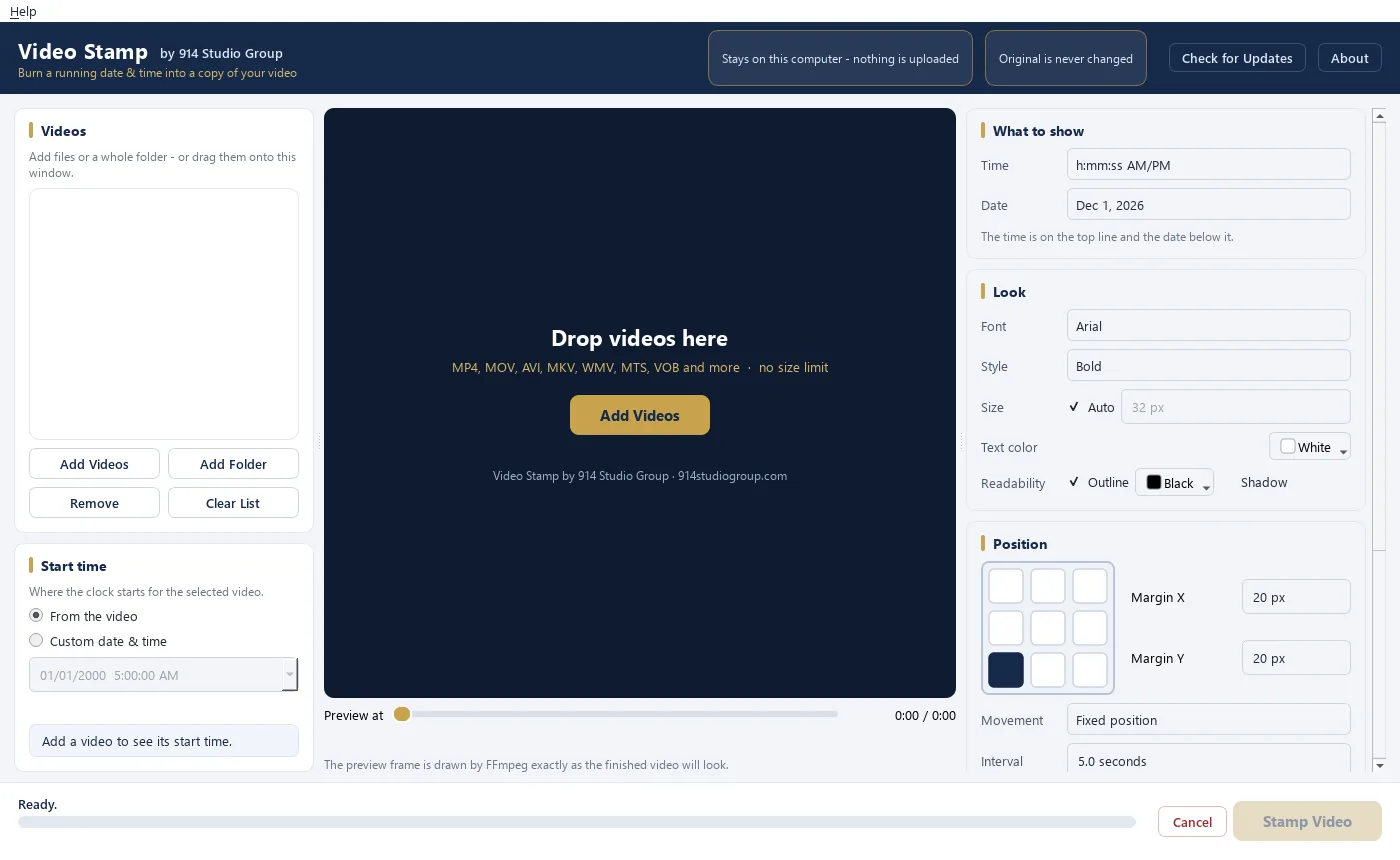
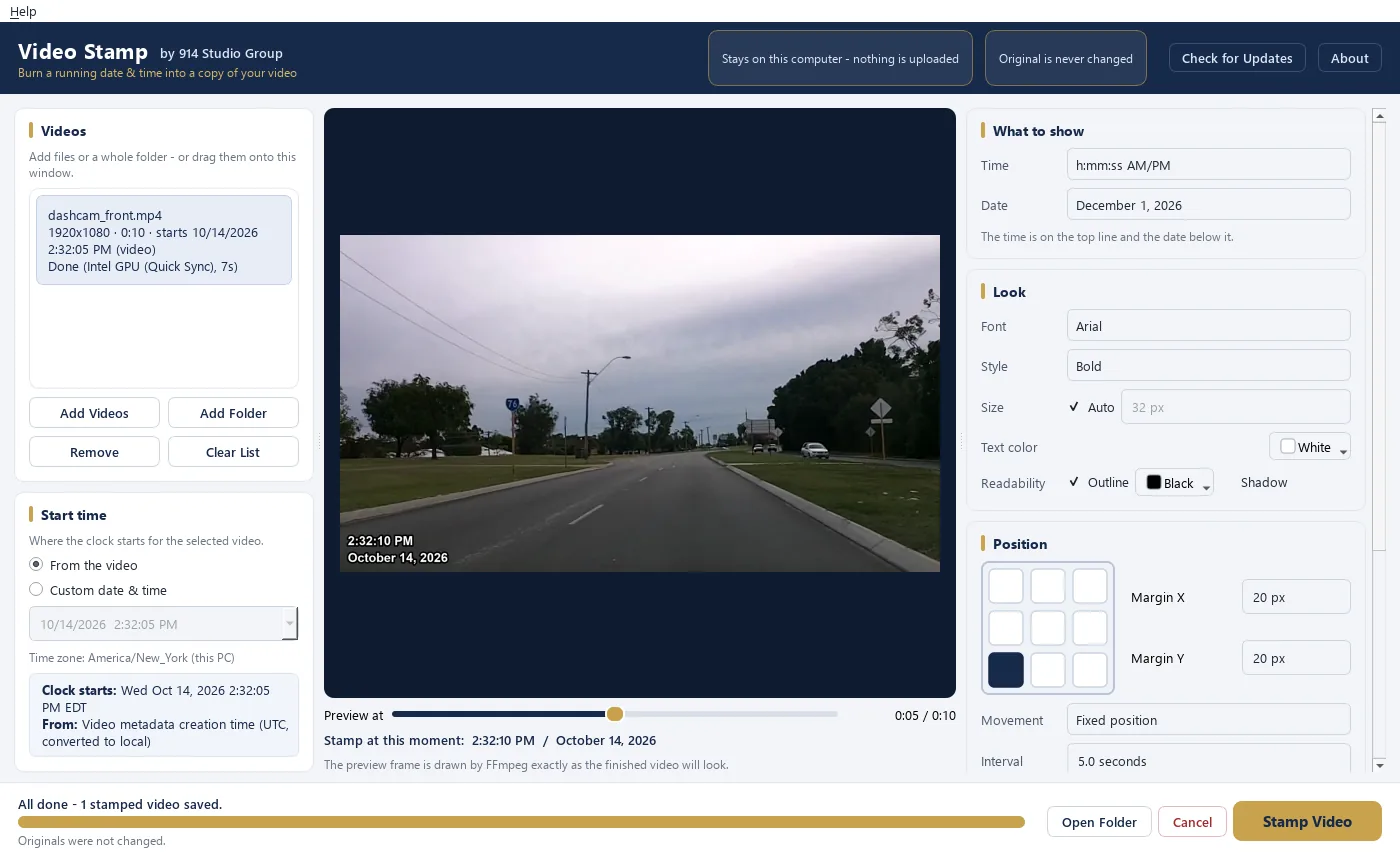
Free websites can add a timestamp, but they need a copy of your footage first
Uploading surveillance or case video to an unknown third-party server is a privacy problem, and it is hard to explain later. Editing the stamp by hand in a video editor is slow and easy to get wrong across midnight or a daylight-saving change.
| Video Stamp | Free online converters | Manual editing in a video editor | |
|---|---|---|---|
| Footage stays on your PC | Yes | No, it is uploaded | Yes |
| Works offline | Yes | No | Usually |
| File size limits | None | Common | None |
| Start time read from the file | Automatic, source shown | Varies | You type it in |
| Daylight saving and midnight | Handled automatically | Varies | Manual, error-prone |
| Original untouched + SHA-256 report | Built in | No | Do it yourself |
| Batch of clips | Yes | Rarely | One at a time |
| Cost | $79 once per PC | Free, often with limits or ads | Editor license or subscription |
Pay once. No subscription.
Every license includes 1 year of updates. After that, the version you have keeps working, with no expiry date.
Free trial
$0
No time limit, no sign-up. Windows 10/11
- Every feature, fully working
- Output carries a “TRIAL” watermark
- Turns into the full version when you add a license; no reinstall
Video Stamp
$79 one time
For 1 Windows PC
- No watermark
- 1 year of updates included
- Keeps working after the update year
- Email support
5-PC Office Pack
$299 one time
For 5 Windows PCs ($59.80 per PC)
- Everything in Single PC
- One license file for the whole team
- 1 year of updates on all 5 PCs
- Invoice for your records
Ways to pay
- Visa
- Mastercard
- American Express
- Discover
- Apple Pay
- Amazon Pay
- Cash App Pay
- Klarna (pay over time)
- Link
Checkout is on Stripe's secure payment page. The options shown there depend on your device and location.
Video Stamp runs on Windows 10 and 11 (64-bit) only. It does not run on Mac, so please try the free trial first. Prices are in US dollars. We never see your card details. Any sales tax that applies is shown at checkout. For more than 5 PCs, a quote or a purchase order, email msimpson@914studiogroup.com.
914 Studio Group is a studio that pairs AI with specialists brought in as each project needs them — that’s how we keep prices low without cutting corners.
Common questions
What are the system requirements?
Windows 10 or Windows 11, 64-bit, with about 400 MB of free disk space for the app plus room for your stamped copies. A graphics card is not required, but Video Stamp uses NVIDIA, Intel or AMD hardware encoding when it is available, which makes encoding faster. Video Stamp does not run on Mac.
Does it need an internet connection?
No. Video Stamp processes everything on your PC and works with no internet connection at all. Activating a license is offline too: you add a license file, and there is no online check. The only optional network use is checking for updates. See the privacy policy.
Are my videos uploaded anywhere?
No. Your videos stay on your computer. Video Stamp reads and writes files only on your PC, and nothing is uploaded to us or to anyone else. It works with no internet connection at all. The only optional network use is checking for updates, which downloads a small version file and sends nothing about your videos.
Does Video Stamp change my original video?
No. The original is opened read-only and is never written to. The stamp is burned into a new copy saved as yourfile_stamped, and Video Stamp never overwrites an existing file. If you turn on the processing report, it records the SHA-256 fingerprint of both the original and the copy, so you can show the original is unchanged.
How does licensing work?
Each license covers one PC; the 5-PC Office Pack covers five. If you replace a computer, remove Video Stamp from the old one and install it on the new one. There is no hardware lock and no activation server.
What happens after the year of updates?
Video Stamp keeps working, with no expiry. Any update released during your year is yours to keep. If you want versions released after that, you can renew updates, but you don't have to.
What does the free trial include?
The full app with every feature and no time limit. Every video it produces carries a visible “TRIAL” watermark. When you buy, add your license and the watermark disappears from your next export, with no reinstall. If your firm needs to evaluate un-watermarked output, email us.
Do you offer refunds?
All sales are final. The free trial is the full app with every feature — only the output is watermarked — so you can confirm Video Stamp does exactly what you need before you buy. If something isn't working, email msimpson@914studiogroup.com and we'll make it right. See the terms of sale.
Where does the date and time come from?
From the recording itself: the metadata the camera wrote, a drone or dashcam log file, or a date in the file name. You can also type in a start time, for example from a DVR's on-screen clock. Before you stamp, Video Stamp shows the start time, where it came from and the time zone it uses, and you can change any of them.
Is the stamp guaranteed to be correct?
The stamp is only as accurate as the camera's clock and settings, and Video Stamp has no way to know whether the camera was set correctly. Check the camera clock against a known time source where you can, and keep the original file. See the accuracy notice below.
Can I use stamped video in court or in a claim file?
Video Stamp makes no claims about admissibility. Whether footage is admitted, and how it must be authenticated, is decided by the court or agency and your attorney. What Video Stamp does is keep your original untouched and, if you choose, record SHA-256 fingerprints and processing details so you can document exactly what was done.
Does stamping reduce video quality?
Burning text into video requires re-encoding the copy. Video Stamp encodes at high quality and keeps the original resolution, frame rate and audio. Your original file is unchanged either way.
Which formats and cameras are supported?
MP4, MOV, AVI, MKV, WMV, MTS and many CCTV/DVR formats, from iPhones, Android phones, GoPro, DJI drones, dashcams, camcorders and security systems. See cameras & formats. If a file won't open, contact us.
Accuracy notice
The date and time Video Stamp burns into a video come from the recording's metadata, a log file, the file name or a time you enter, together with the time zone used. The stamp is only as accurate as the recording device's clock and settings. Video Stamp does not check whether the camera clock was correct. Always verify the camera clock where possible and keep the unaltered original.
Video Stamp makes no representation that its output is admissible in any court or proceeding, and it is not a certification of authenticity. Authentication, admissibility and chain of custody remain the user's responsibility.