How to add a date and time stamp to dashcam video
Many dashcams only show the time when you play clips in their own app, or burn in a clock that was set wrong. Here’s how to put the real recording date and time on a copy of the video, on a Windows PC, without uploading it anywhere.
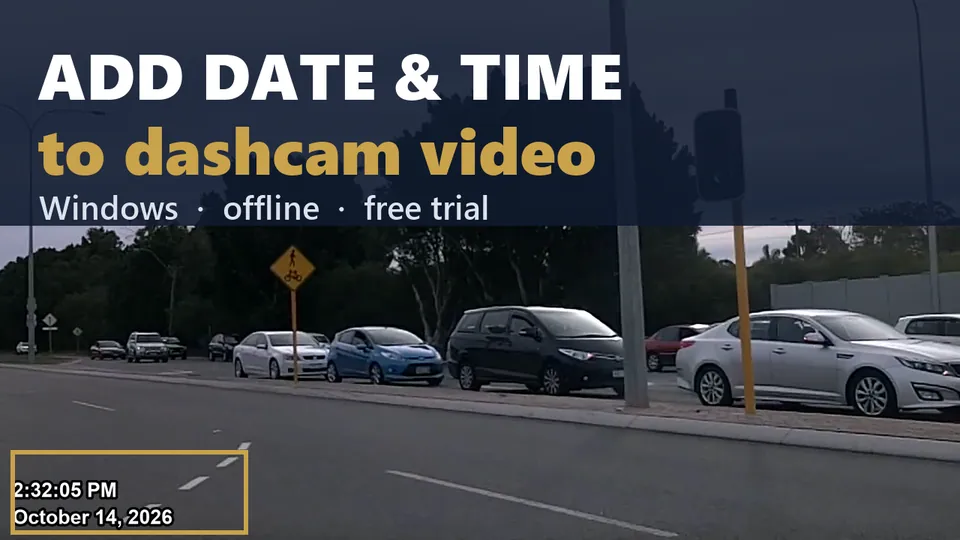
Where a dashcam keeps the time
Dashcams record the time in one or more of these places, even when nothing shows on the picture:
- The file name. Most dashcams name clips by date and time, for example
20261016_143005_F.MP4. - A log file next to the clip. Some dashcams and body cams write a
.SRTfile with the date and time (and often GPS) for every second. - The video file itself. Many write a creation time into the file’s metadata.
Two things to watch: some cameras store the time in UTC, and the camera’s clock is only as right as the last time someone set it. Daylight saving changes are a common cause of clips that are exactly an hour off.
Check the camera clock first (free)
Before you rely on any timestamp, compare one clip against something you know: a phone photo taken at the same moment, a receipt, or a known event. If the camera was off by a fixed amount, write that down with the case notes; Video Stamp lets you enter a corrected start time for the copy.
Add a running date and time with Video Stamp
- Copy the clips straight off the SD card to your PC, together with any
.SRTfiles of the same name. Keep the card copies as your untouched originals. - Drag the clips into Video Stamp. It reads the start time from the clip’s log, its metadata or its file name, and shows you where the time came from. A time taken only from the file name is marked for you to confirm before stamping.
- Pick the date and time format, the position and the look.
- Click Stamp Video. You get a new copy with a running date and time; the original stays exactly as it was. Several clips can be stamped in one batch.
An optional report records SHA-256 fingerprints of the original and the stamped copy, and where the start time came from.
Common questions
Why does my dashcam video have no date and time on it?
Many dashcams only show the time inside their own player app, or have the on-screen stamp turned off. The time is usually still in the file name, a log file next to the clip, or the file's metadata.
Why is my dashcam footage an hour off?
Most often the camera clock wasn't changed for daylight saving, or the camera stores UTC. Check one clip against a known time, then correct the start time on the stamped copy.
Does adding a timestamp change the original clip?
No. Video Stamp opens the original read-only and writes a new copy. The original file is never modified, renamed or overwritten.
See it on your own footage
The free trial is the full app with no time limit. Stamped copies carry a “TRIAL” watermark until you add a license ($79 per PC, or $299 for 5 PCs).

Windows 10 and 11 (64-bit). Questions? msimpson@914studiogroup.com